
DOWNLOAD THE APP


Customer Services
Copyright © 2025 Desertcart Holdings Limited
DOWNLOAD THE APP
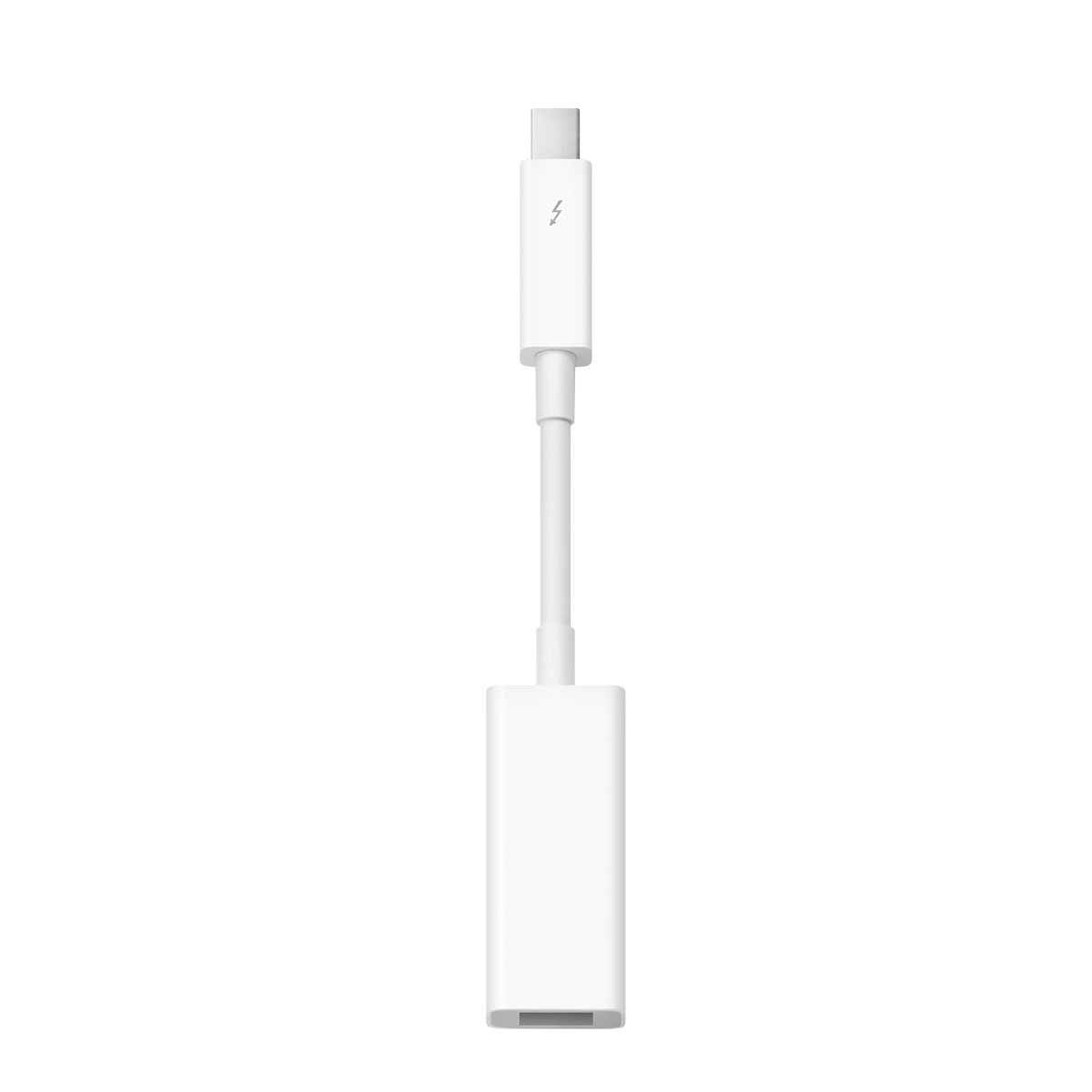
⚡ Connect the past to the future with Apple’s Thunderbolt to FireWire Adapter!
The Apple Thunderbolt to FireWire Adapter transforms your Thunderbolt port into a FireWire 800 connection, delivering up to 7W power for bus-powered devices. Compatible with Thunderbolt-equipped Macs running OS X 10.7.4 or later, and also functional with Windows PCs (with driver setup), it offers reliable, high-speed data transfer in a compact, elegantly designed form factor. Ideal for professionals needing to bridge legacy FireWire peripherals with modern Thunderbolt technology.
| ASIN | B008RXYOKY |
| Brand | Apple |
| Built-In Media | Apple Thunderbolt To Firewire Adapter, Built-In Thunderbolt Cable, Eless |
| Color | Vr Headset512 |
| Connector Type | Firewire |
| Customer Reviews | 4.4 out of 5 stars 3,593 Reviews |
| Global Trade Identification Number | 00885909561278, 04547597800867 |
| Item Dimensions | 2.64 x 0.79 x 6.1 inches |
| Item Weight | 0.02 Kilograms |
| Item dimensions L x W x H | 2.64 x 0.79 x 6.1 inches |
| Manufacturer | Apple Computer |
| Model Number | MD464ZM/A |
| Number of Items | 1 |
| Number of Ports | 1 |
| Package Quantity | 1 |
| Specific Uses For Product | personal |
| UPC | 885909561278 |
| Unit Count | 1.0 Count |
H**S
Explanation of Thunderbolt and Cost of This "Adapter"
Thunderbolt is just an extension of the PCI buss made available through a Displayport connector to the outside world. The connector also provides a limited amount of power. It is an Intel development that Apple seized upon and enjoyed exclusive rights to for the first year of its life. It is now available on many other non-Apple PCs. Intel is far more interested in USB 3.0 and its successor although there is now renewed interest because of the new 4K video standard. Using Thunderbolt you can drive three 4K monitors and still have bandwidth for other devices. The Apple Thunderbolt to FW adapter is really more than an adapter. In simplest terms the Firewire chip has been removed from the motherboard and is now resident in this adapter along with another processor and isolator. So, in use you will notice the module/FW connector end of the adapter gets warm. That's because of the circuitry. The best way to set this up is to plug it in your Thunderbolt port (make sure it is enabled in the BIOS. Some motherboards will also require a Thunderbolt driver so check for that). Go to the Device Manager and look for "IEEE 1394 host controllers." If you don't see it you will likely have to manually install FW as "new hardware." (This is especially true if you're running Windows 8.1 because FW is now obsolete and no new devices using it are being manufactured.) After doing so go to the Device Manager and check to make sure the IEEE 1394 host controller is present. Double click on it and you should see "LSI 1394 OHCI Compliant Host Controller." Right click on that and click on "Properties." Device status should indicate, "This device is working properly." Congratulations! you now have FW available again on you computer. Now, plug your FW device into the adapter. Some devices will locate necessary drivers on their own and others such as MOTU audio interfaces will require that you install their drivers. The beauty of the circuitry in the adapter is that you can plug and unplug a FW device without crashing your computer. The PCI buss is well-protected from what goes on in the outside world. Because the cable on this adapter is so short circuitry is installed on only one end. Longer Thunderbolt cables have circuitry in both ends That's why they cost so much. But data is sent with handshaking. The circuitry at one end says, "I sent this to you." and the circuitry at the other end confirms that. So there is error-checking as well as isolation to protect devices at either end of the cable and with up to 10 watts of power provided. Thunderbolt 2 rearranges things a bit but any device that works with Thunderbolt 1 should work with Thunderbolt 2. Thunderbolt 2 gives more capabilities for the future.
D**L
Using the Apple Thunderbolt to FireWire Adapter with a Windows Based PC
This is an unusual review as it will deal mostly with an application of the Apple Thunderbolt to Firewire Adapter to a Windows PC rather than a Mac. First of all, let me address the adapter. It is certainly up to Apple’s usual high standards: beautifully designed and highly functional. As a piece of hardware, it certainly deserves the five-star rating. Now about my use of the adapter. I recently built a new Windows PC based around the Asus Z87-Expert motherboard. I will use the PC to process videos and digital photographs. One of the projects I have in mind is to digitize our large library of Hi8 tapes before they begin to degrade much further. As I do not have any video equipment that have Firewire ports, I have been using a Canopus 110 to convert the output from a Sony Hi8 tape deck. The Canopus 110 was connected to an old Sony PC running Win XP through a Firewire card. I want to begin digitizing the Hi8 tapes with the new Asus Z87-Expert based computer but alas, there are no Firewire ports on the motherboard. It does have a Thunderbolt port, however. After searching the web, it appears that one can successfully digitize video tapes using a Canopus 110 connected to a Mac through the Apple Thunderbolt to Firewire Adapter. Being an experimentalist by nature (and by training) I thought I’d give the adapter a try with the Thunderbolt port on the new PC. I connect the adapter to the Thunderbolt port on the PC then used a Belkin 9-Pin to 6-Pin FireWire 800/400 Cable to connect the adapter to the Canopus 110. To cut to the chase, the PC did not recognize the adapter as a PC compatible Thunderbolt device at first but when I instructed the driver to always connect to it anyway that seemed to do the trick as the Canopus 110 is now recognized by both Adobe Premiere Elements and WinDV (all of these programs are running under Windows 8.1). So the bottom line is does the Apple Thunderbolt to Firewire adaptor work with a Windows PC? The answer is absolutely!
J**W
Along with legacy firewire drivers, this adapter allows the RME Fireface 400/800 to work on Win 8.1!!!!
This adapter allows the RME Fireface 400 and Fireface 800 audio interfaces to work with the Asus G750 Windows 8.1 laptops! Other than this adapter, you need the following to make it work: http://www.qimaging.com/support/software/ <--- legacy firewire drivers are necessary. Scroll down to where it says "IEEE-1394". Click on the hypertext that says "Download Thesycon 1394 Stack Installer (2.1 MB)". If you don't use these legacy drivers, your Fireface 400/800 will have extremely high latency and jittery performance (and constant mouse freezing, bad sound quality). The firewire drivers supplied by Microsoft in Windows 8/8.1 are apparently not made to handle bandwidth or audio buffering! https://www.amazon.com/gp/product/B00699GJW4/ref=oh_aui_detailpage_o04_s00?ie=UTF8&psc=1 <-- this will go between the Fireface and the Thunderbolt to Firewire adapter. The output port of the Thunderbolt adapter being reviewed is a square style (which means Firewire 800), so it needs a way to be converted to the more rectangular Firewire 400 style. I deducted a solid star because the design of this adapter causes it to stick out a whole 2.5" off the right of my notebook!!! The wire portion between the plug and the output "brick" is a small, yet very rigid cable that can't bend easily, and it takes up 1" of width alone. Apple could easily have made a right-angle adapter to save so much room here. The biggest problem with such an extension off the side of my notebook is that anyone accidentally bumping it could cause some damage. I'd think Apple would make a more compact, streamlined design. Considering this adapter is being used for audio workstations, the design makes less sense. It does work well though, so I'm happy to be able to use my professional audio hardware even with Microsoft trying to phase out firewire!
M**R
Excellent Performance
Used on Late 2012 iMac 27" with a 4-year old external 1TB HD. Adapter converted the USB3 on the iMac to Firewire 800 on the HD. The HD shows up on the desktop as a Firewire drive. Ran Xbench to test performance and the total score of 56.69 easily beats any portable USB3 native protable drives, and even beats the same external drive using another USB3 to ESATA converter. The below figures are Megabytes, not megabits per sec: Disk Test Score: 56.69 Sequential 105.84 Uncached Write 133.02 81.67 MB/sec [4K blocks] Uncached Write 109.33 61.86 MB/sec [256K blocks] Uncached Read 67.31 19.70 MB/sec [4K blocks] Uncached Read 159.43 80.13 MB/sec [256K blocks] Random 38.72 Uncached Write 12.17 1.29 MB/sec [4K blocks] Uncached Write 164.77 52.75 MB/sec [256K blocks] Uncached Read 114.27 0.81 MB/sec [4K blocks] Uncached Read 157.51 29.23 MB/sec [256K blocks Strongly recommend this adapter.
T**R
(2-adapters/1cable) combo from 6pin Firewire 400 ext.drive (LACIE) to Thunderbolt input (15" Macbook Pro), worked perfectly!
I purchased an Apple Thunderbolt to FireWire Adapter, an elago FireWire 400 to 800 Adapter, and a Tripp Lite FireWire® IEEE 1394 Cable (6pin/6pin) 6-ft.(F005-006) all together, hoping to connect my old kerosene-powered LACIE external hard drive (Firewire 400, 6pin) to my 15" Macbook Pro Thunderbolt input. Connected one end of the 6pin Firewire 400 cable to the old LACIE hard drive, plugged the other end of the 6pin Firewire 400 cable into the elago 400-800 adapter, then plugged the Firewire 800 end of the elago adapter into the Apple Firewire 800-Thunderbolt adapter, and then plugged the Thunderbolt output of the Apple adapter into the 15" Macbook Pro (all hot). The LACIE drive immediately appeared on the desktop, and both reading and transferring files has worked perfectly from the first try. The Macbook Pro is a 2.7GHz Intel Core i7, running Mac OSx 10.8.5. I'm thrilled that this actually works, and very quickly too.
N**K
Loose Connection, but Great for Firewire Devices
I purchased this so I could use a FW800 external drive with my MacBook Air. It's a huge upgrade in speed and performance over a simple USB 2.0 connection, but the connection itself is not reliable. The cable doesn't snap into place or fit snugly, meaning that I've lost the connection from just slightly moving my Air. Certainly not the kind of thing that would fill you with confidence if you were regularly accessing data on that external drive. Hard to justify the cost for such a lack of reliability.
B**R
Thunderbolt to Firewire Solution
I recently purchased a 2013, 13 inch MacBook Air. As a long time fan of Macs and Apple products, its hard to admit that sometimes I do not know what they are thinking at times. The new MacBook Air uses dual USB 3.0 inputs, I am sure this was done to keep the MBA light and thin, so I was not that surprised to see that they left out the Fire Wire 800 ports, which are very important to most users of Macs. However I was relieved to see that they thought of the Fire Wire crowd, by developing a Thunderbolt to Firewire cable solution. The adaptor itself resembles something that could have come standard with the MBA, it is well made,of quality materials, it connects easily and snugly to the Thunderbolt port and the Firewire male end without loosening or feeling insecure. The hard drive mounts easily and stays mounted. Depending on your hard drive and computer, you get quick transfer of data via the solution without the hard drive dismounting on its own, I did find that the Firewire end did get a little warm to the touch when transferring a large amount of data, but it never got uncomfortable or hot to the touch and it did not affect data transfer or cause the drive to dismount. If you still utilize FireWire drives and you plan to stay with the Mac platform, this is a worthwhile investment, because the Firewire port as we knew it is probably gone forever.
M**N
Should be included with new iMacs
This $29.00 product does what it is supposed to do; Thunderbolt to Firewire. That said, Apple has a long history of changing connectors and stranding an imbedded base of equipment with no way of connecting the new computer to the existing network or peripherals (two Firewire 800 disks in my case). When a new iMac is purchased from Apple, at a minimum, the buyer should be offered this adaptor for a nothing or perhaps $5.00. When I started to set-up my new fully loaded 27" iMac I realized not only that my existing external drives would not connect but that there are very few Thunderbolt drives on the market. Thanks to Amazon Prime the missing link arrived promptly and it works well. As for Apple it they should move their technology forward but their unwillingness to assist their customer base in the transition is, perhaps, reflected in Apple's dismal 2013 stock performance.
Trustpilot
1 month ago
1 day ago